The most useful way to approach PyTorch is as a complete modeling workflow. This article connects tensors and data loading to training, evaluation, experiment tracking, and deployment, with the examples and diagrams kept alongside the concepts they explain.
Python building blocks
https://www.pythoncheatsheet.org/
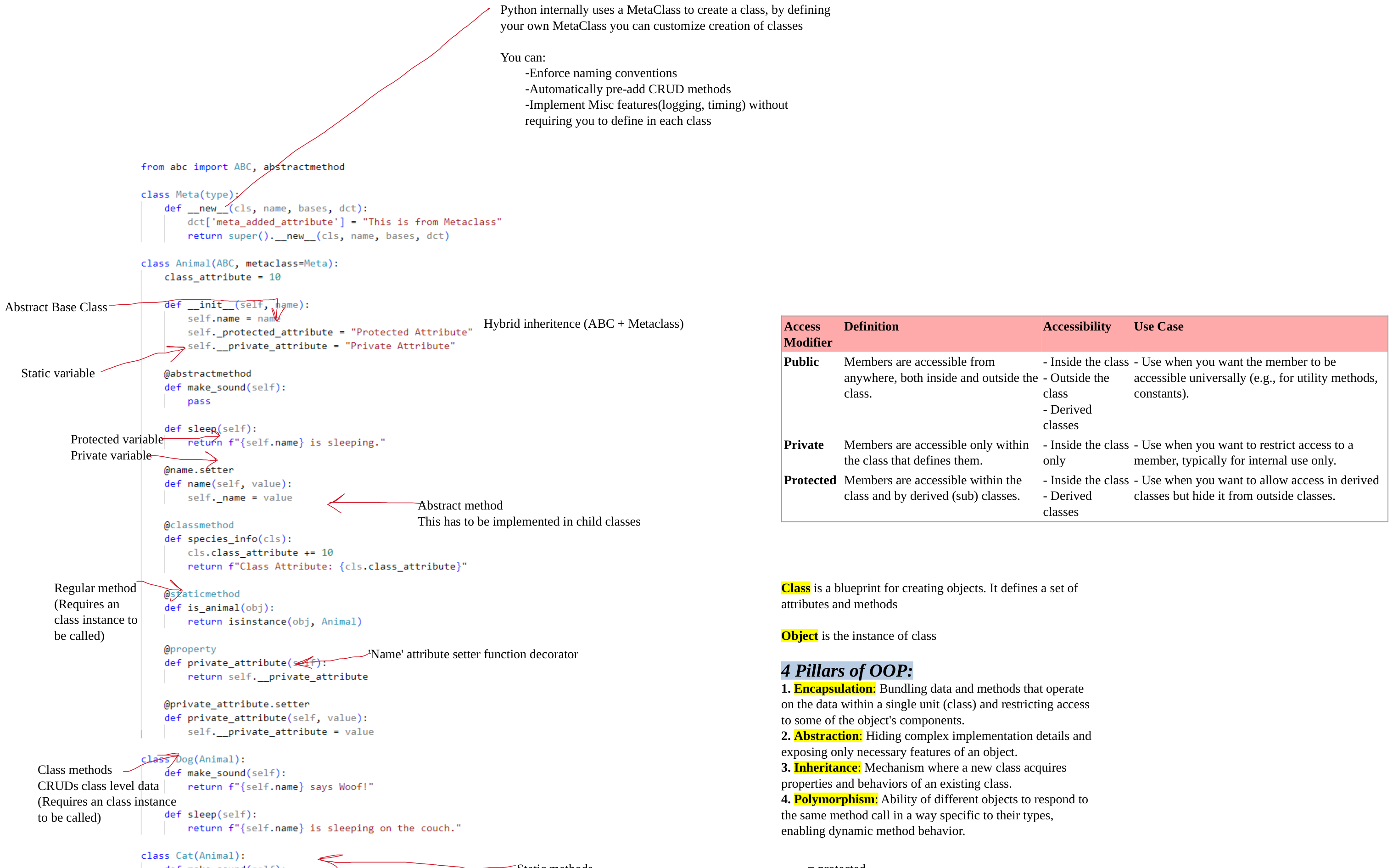


Python exceptions
There are 150+ exception types
a. How to raise exception

b. Exception handling block

c. Create Custom exceptions

Getting started with PyTorch












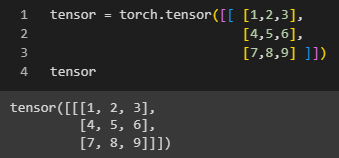
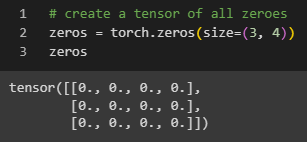
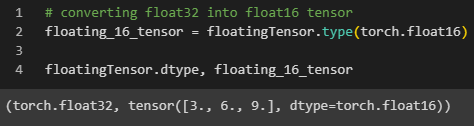
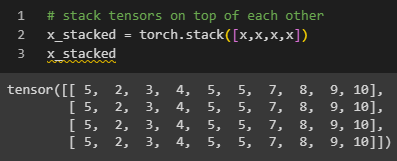
Tensors and fundamentals
https://www.learnpytorch.io/00_pytorch_fundamentals/





























Datasets, data loaders, and batches
With the basic operations in place, the next step is getting data into the training loop in a usable form.
DataLoaders and Datasets
Pytorch provides two classes for data loading and processing
Dataset class: Stores or fetches data
DataLoader class: Loads and batches data
Dataset Class
Contains all data for training, validation, testing
Stores data directly in an attribute or retrieves data from cloud storage
__len__(): returns the number of samples in dataset
__getitem__(index): returns the sample at specific index
DataLoader Class
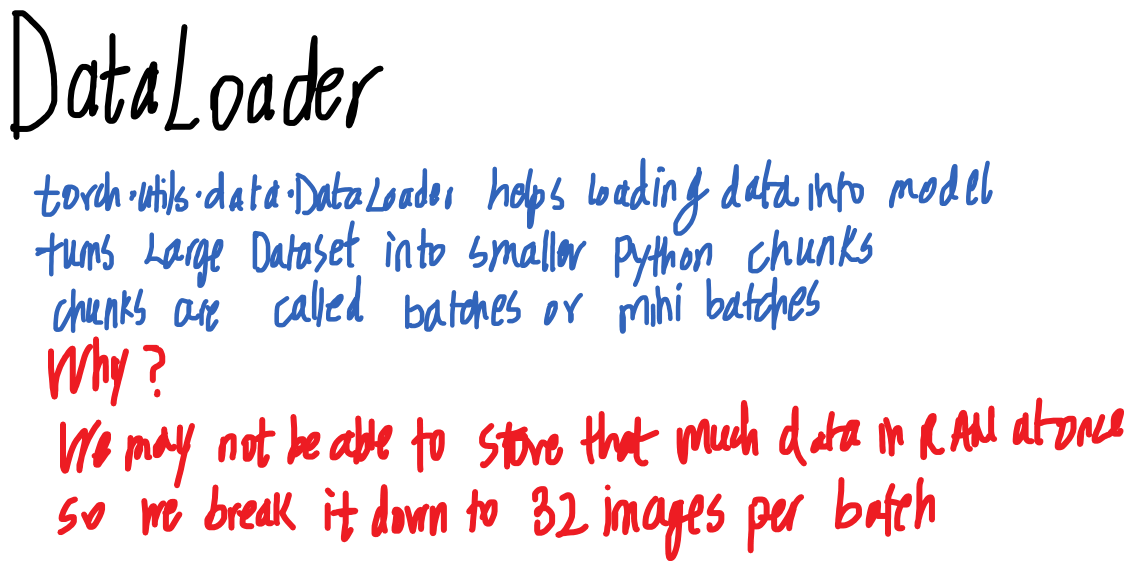
Feeds data from Dataset to model in efficient way
Collects multiple samples together into batches
Shuffles data for each epoch
Utilizes multiple works to call _getitem__ for different indices to retrieve data
Data from workers is placed into staging area to form batches
Internal Collate function is used to convert individual samples into a batch
Data undergoes transformations before being fed to the model
Transformations can occur on individual samples as they are fetched
At the start of each epoch
New set of Batches are created from shuffled dataset
Each batch is processed individually
train_data = datasets.FashionMNIST(root="data",So we downloaded the whole dataset
train=True,download=True,transform=transform,)test_data = datasets.FashionMNIST(root="data",train=False,download=True,transform=transform,train_dataloader = DataLoader(train_data, batch_size=64, shuffle=True))test_dataloader = DataLoader(test_data, batch_size=64, shuffle=True)len(train_dataloader)938
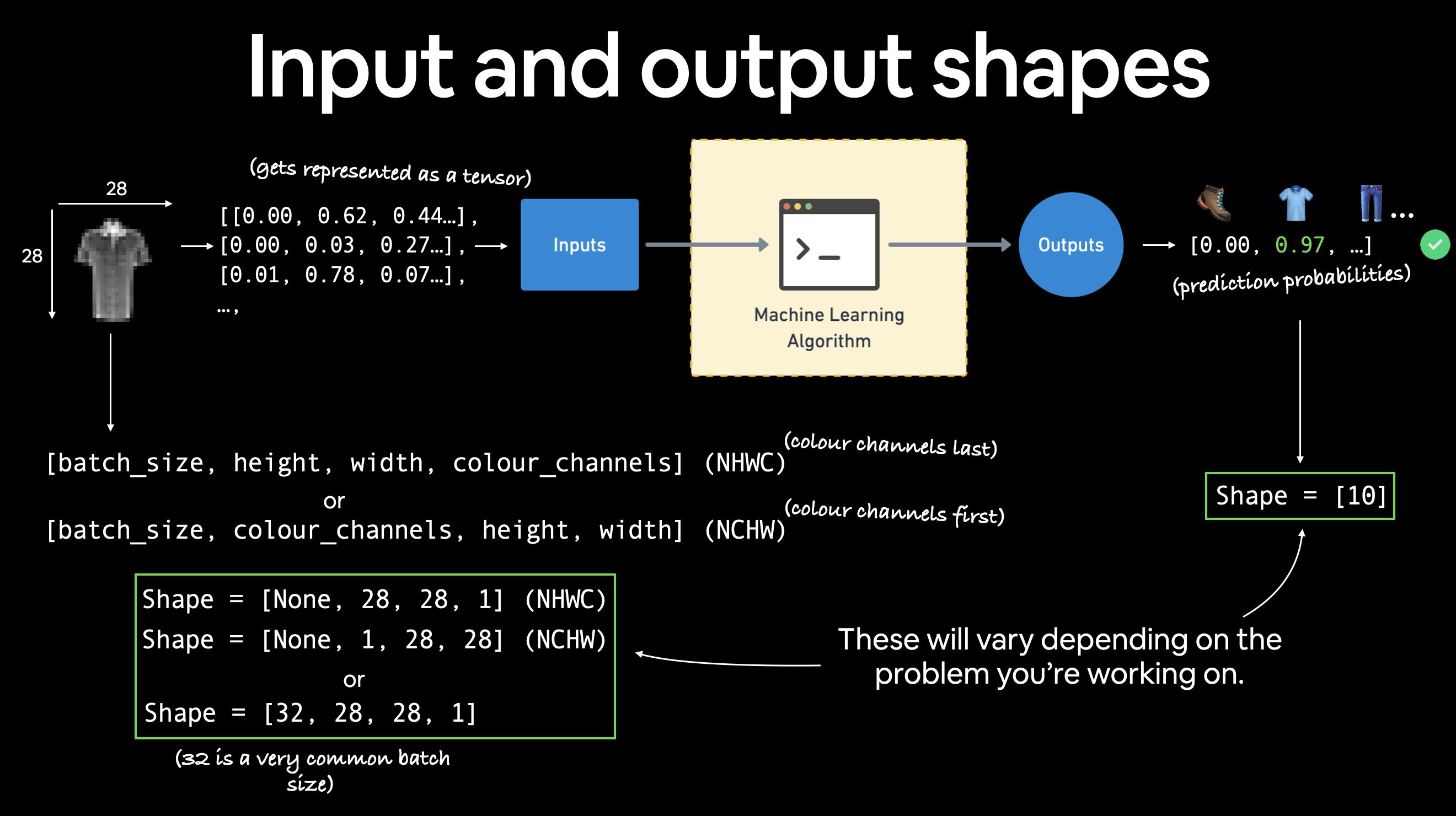
for a, b in train_dataloader:print(a.shape, b.shape)torch.Size([64, 1, 28, 28]) torch.Size([64])torch.Size([64, 1, 28, 28]) torch.Size([64])torch.Size([64, 1, 28, 28]) torch.Size([64])torch.Size([64, 1, 28, 28]) torch.Size([64])Each batch is 64 images [a], 64 labels [b]
. . .
class M1_Traditional:def __init__(self, input, hidden, output):self.weights1 = torch.randn(input, hidden, requires_grad=True) * 0.01self.bias1 = torch.zeros(hidden, requires_grad=True)self.weights2 = torch.randn(hidden, output, requires_grad=True) * 0.01self.bias2 = torch.zeros(output, requires_grad=True)def forward(self, x):x = x.view(x.size(0), -1)x = torch.matmul(x, self.weights1) + self.bias1Hota kuch yun tha, but ab abstraction hogai he
x = F.relu(x)x = torch.matmul(x, self.weights2) + self.bias2from torch import nnx = F.relu(x)class M1(nn.Module):Basically each tensor has a gradient class_attribute
return xdef __init__(self, input, hidden, output):The gradient attribute stores partial derivatives of loss function with respect to that parameter
super().__init__()self.layers = nn.Sequential(nn.Flatten(),Tou agar ek parameter he
nn.Linear(input, hidden),Tou uska .grad value hogi
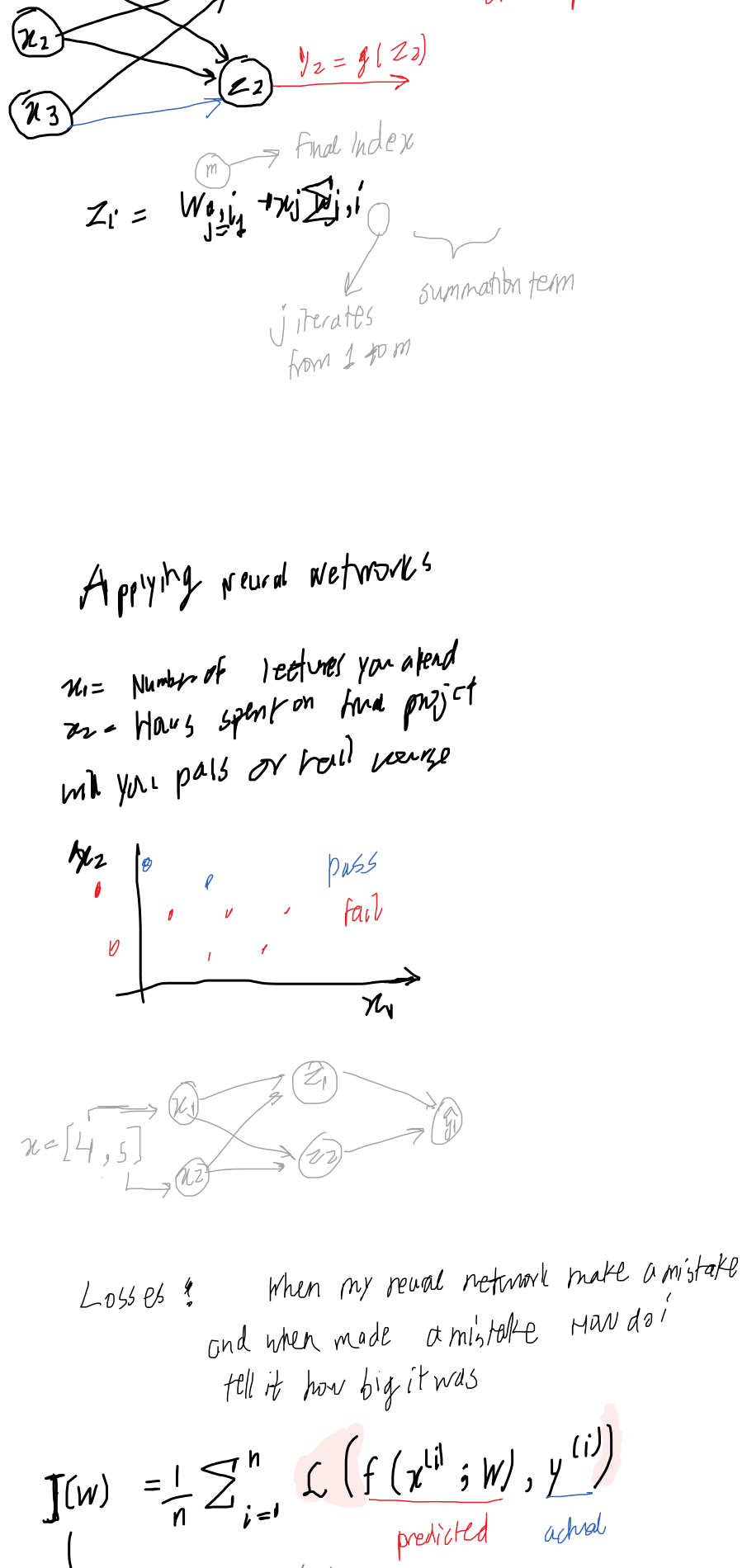
nn.ReLU(),L is the scalar loss
nn.Linear(hidden, output),nn.ReLU())def forward(self, x):model = M1(28*28, 28*28, 10).to(device)return self.layers(x)from torch import optimoptimizer = optim.SGD(model.parameters(), lr=0.01, momentum=0.9)lossfn = nn.CrossEntropyLoss()
Loss even though is a tensor, but is a special leaf tensor
See the value?
Pytorch will be able to perform backpropagation from it because the loss tensor stores the computational graph
Autograd tracks all operations applied to tensors with requires_grad=true during forward pass, when .backward() is called, It computes the gradients based on chain rule by traversing computational graph in reverse order
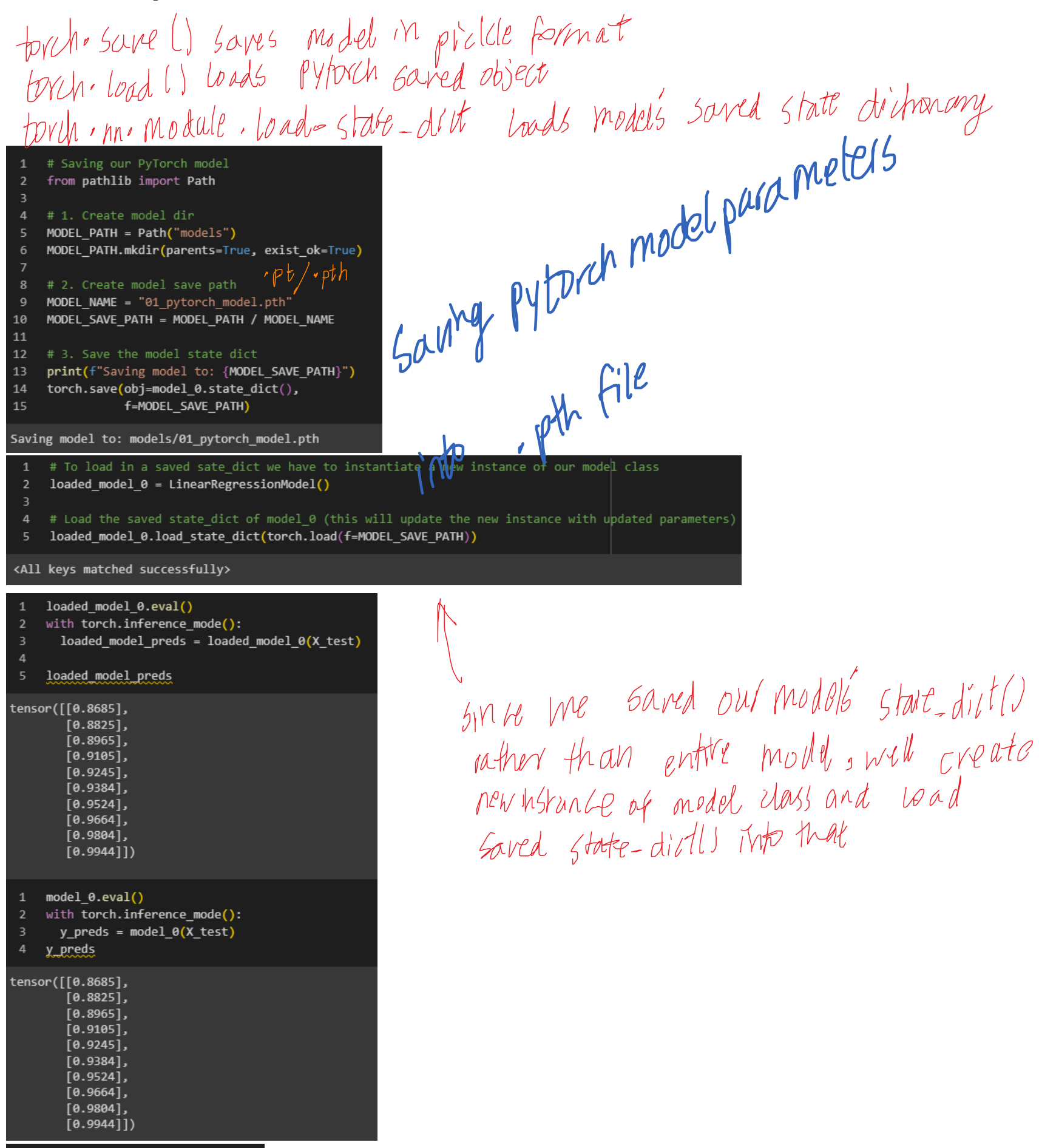
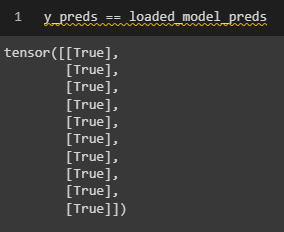
A regression workflow
https://www.learnpytorch.io/01_pytorch_workflow/





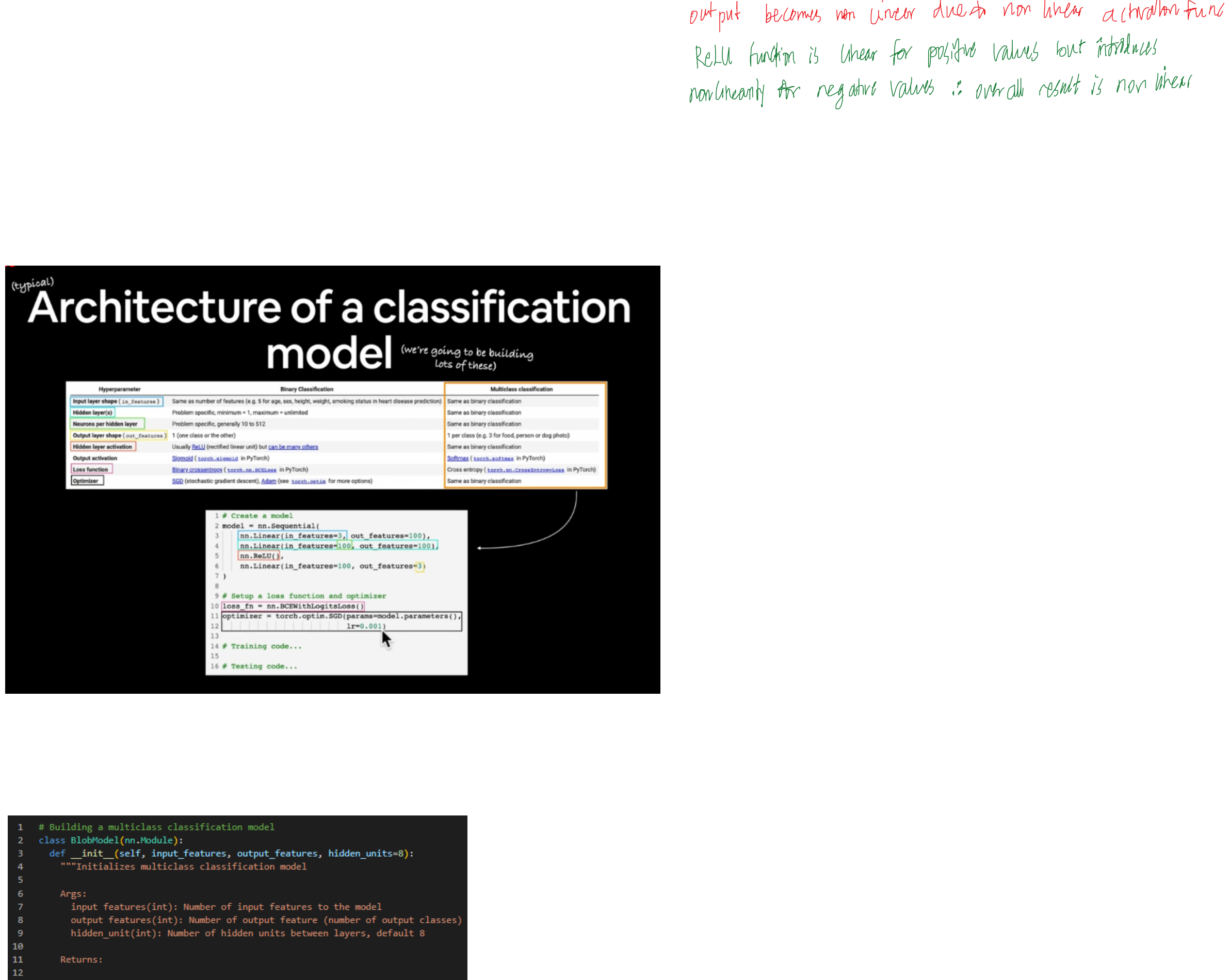
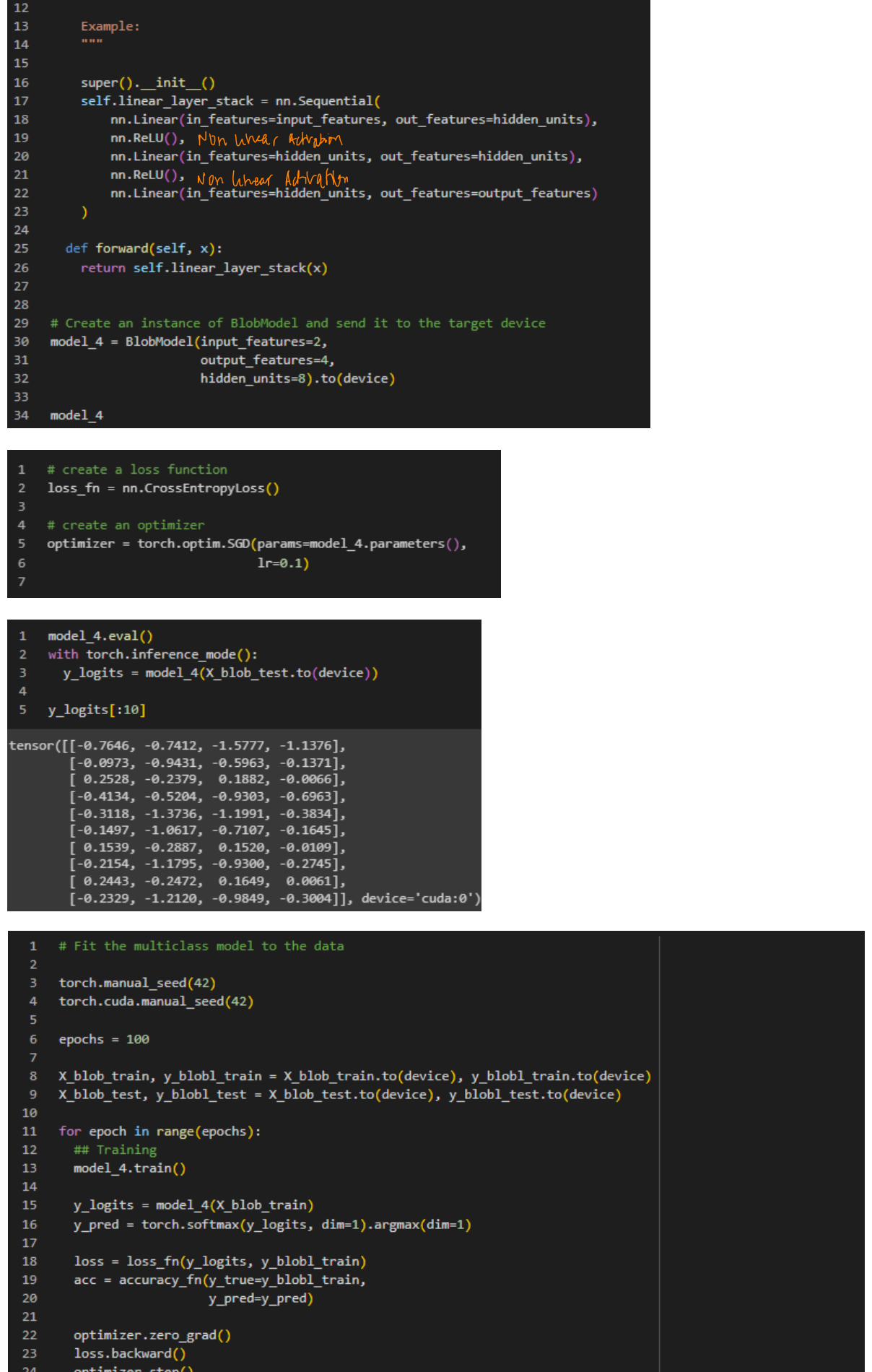
A classification workflow
https://www.learnpytorch.io/02_pytorch_classification/




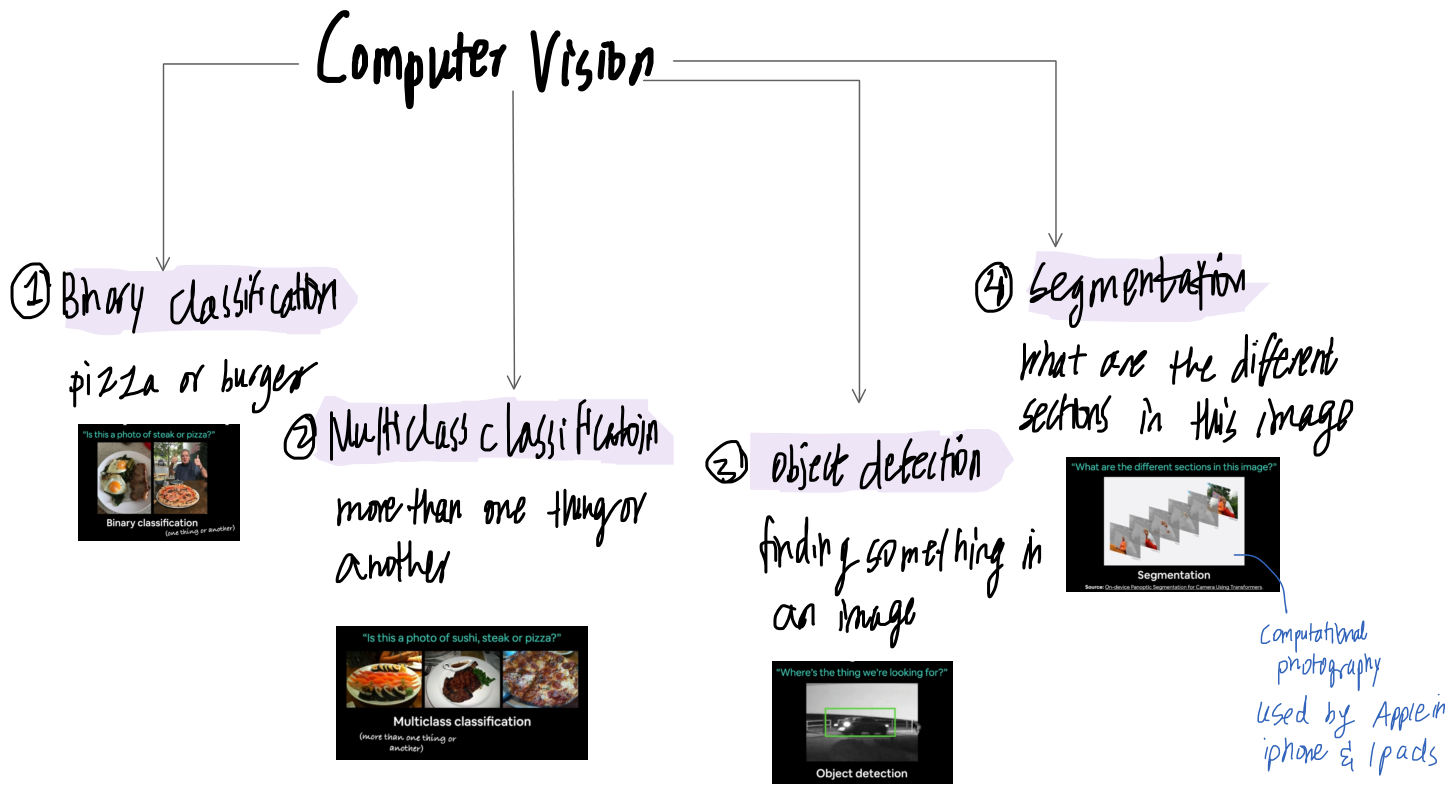
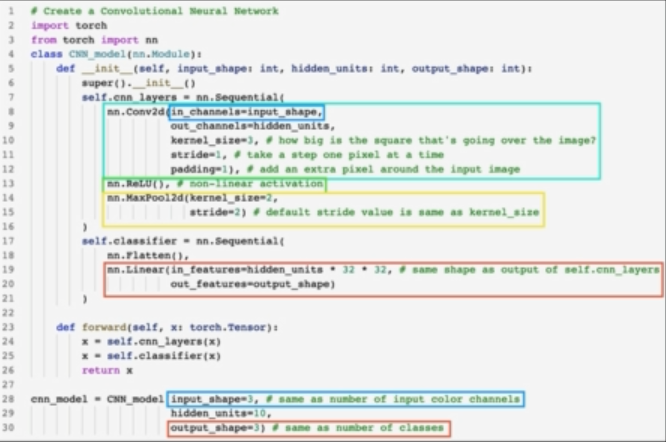
Computer vision

https://poloclub.github.io/cnn-explainer/









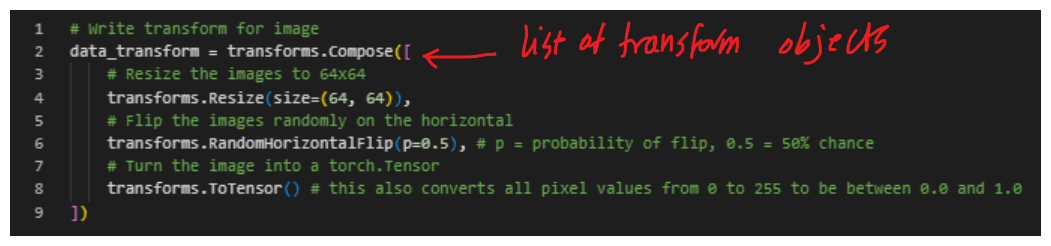
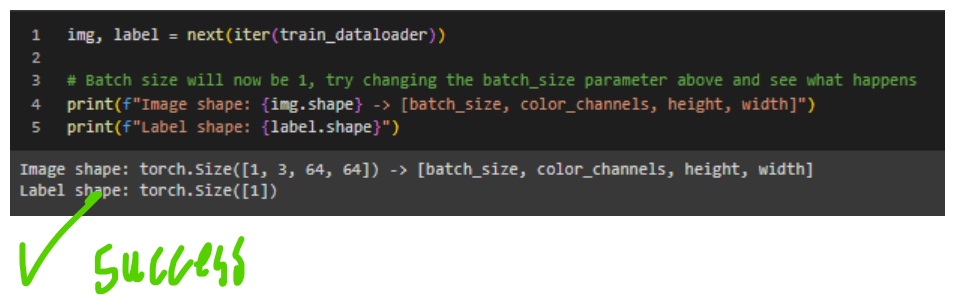
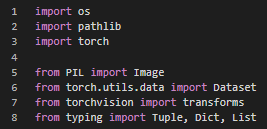
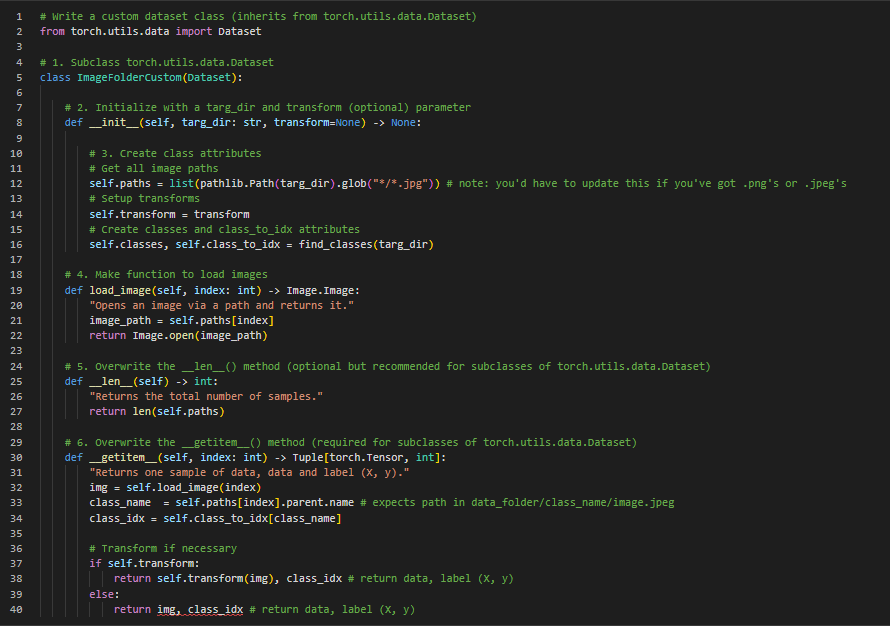
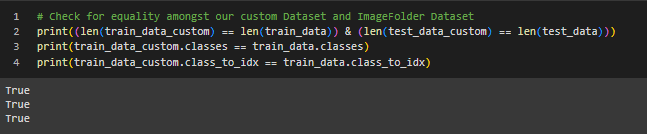
Working with custom datasets
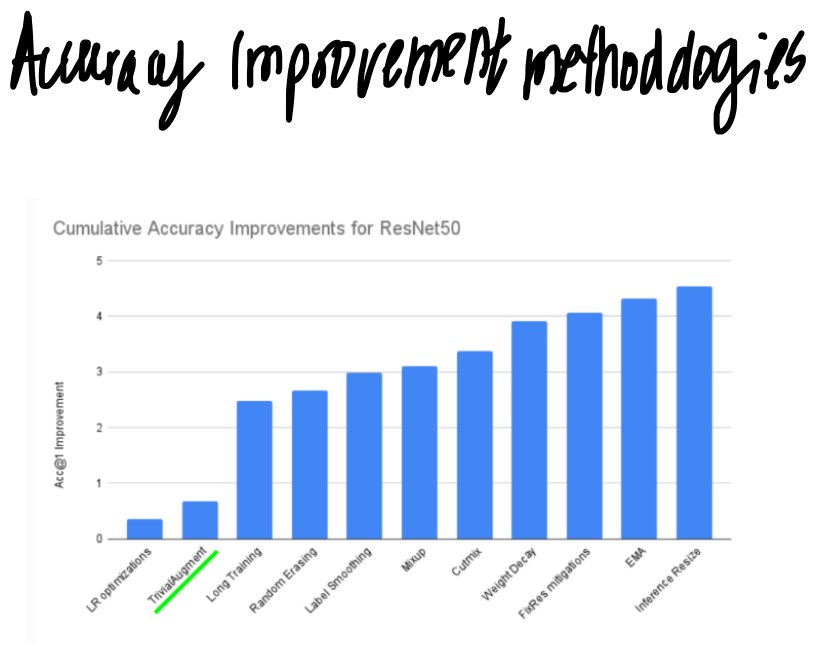
https://paperswithcode.com/sota

























Organizing training code
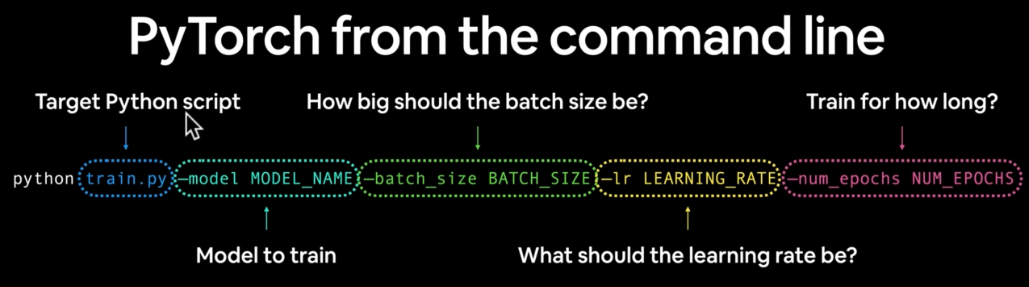
https://www.learnpytorch.io/05_pytorch_going_modular/



Transfer learning
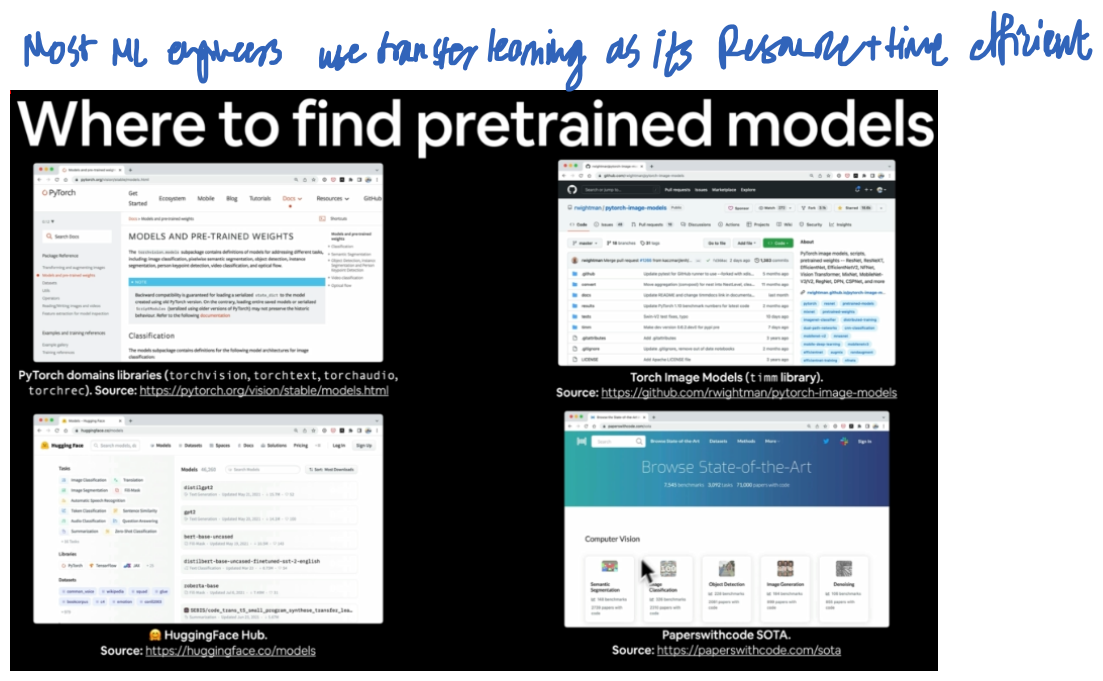
https://www.learnpytorch.io/06_pytorch_transfer_learning/


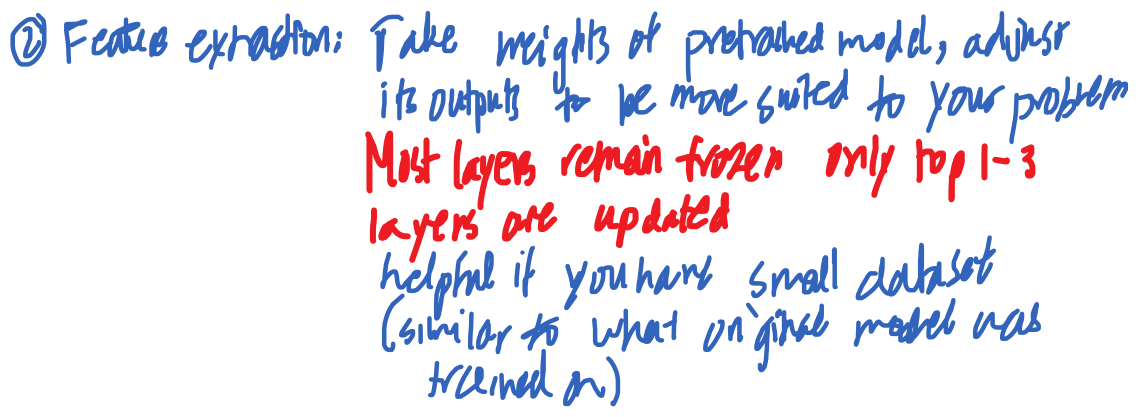


Tracking experiments


Reproducing a paper
https://www.learnpytorch.io/08_pytorch_paper_replicating/




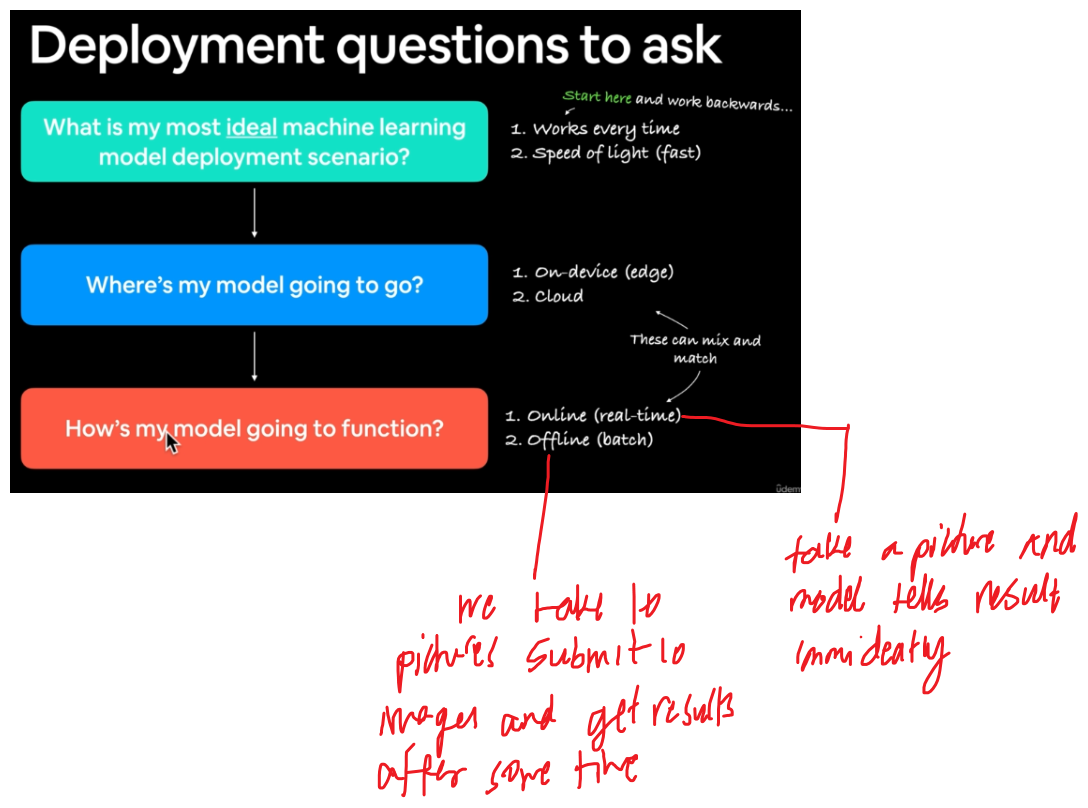
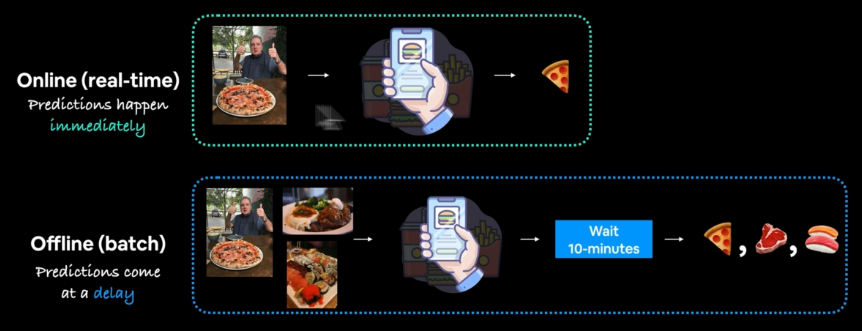
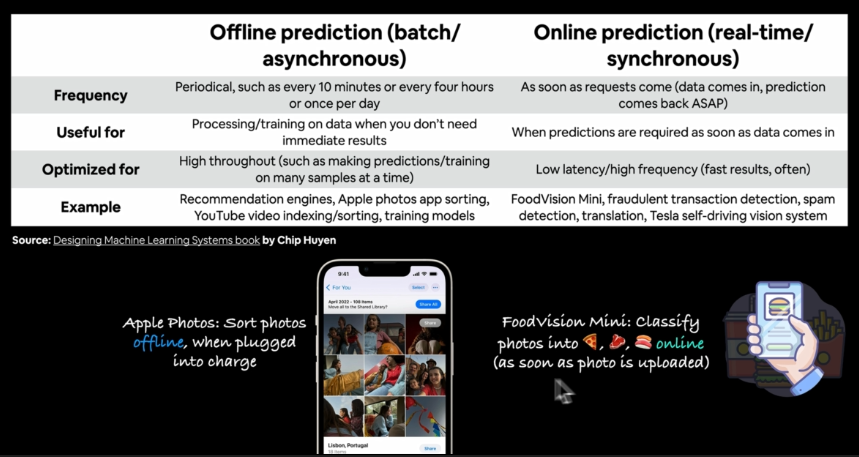
Deploying a model
The workflow ends with using the trained model outside the training process.
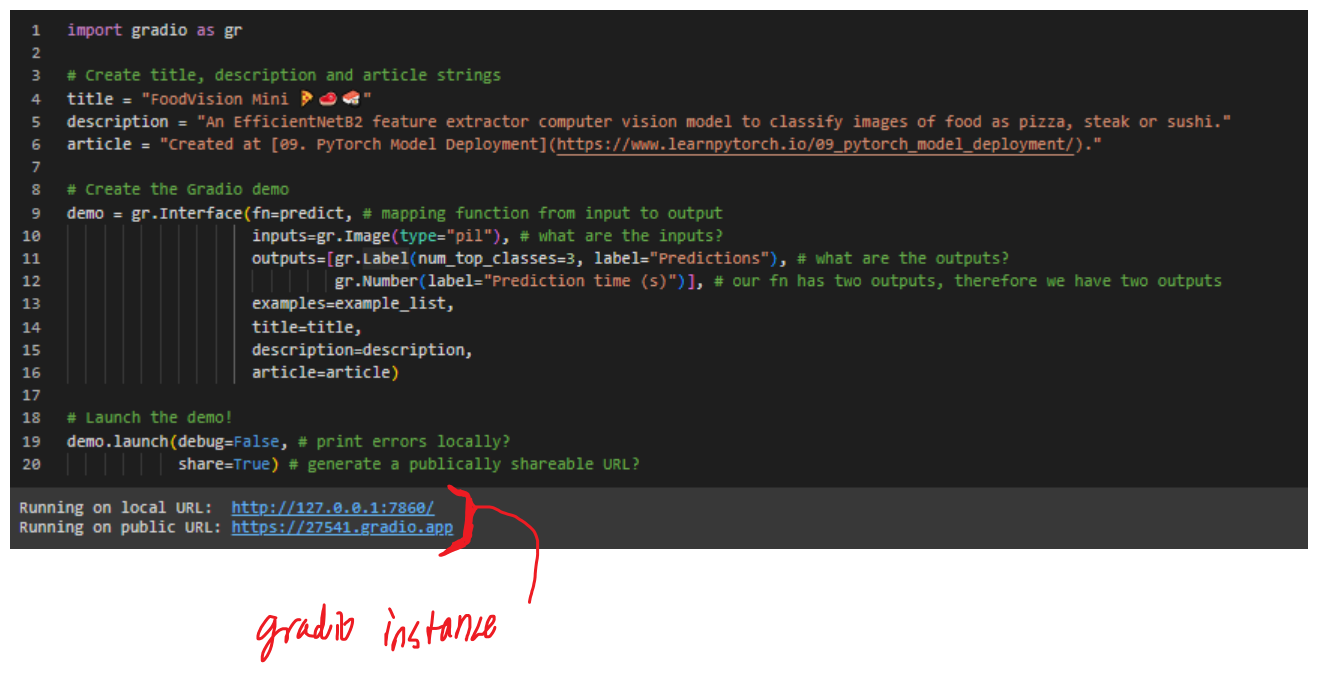
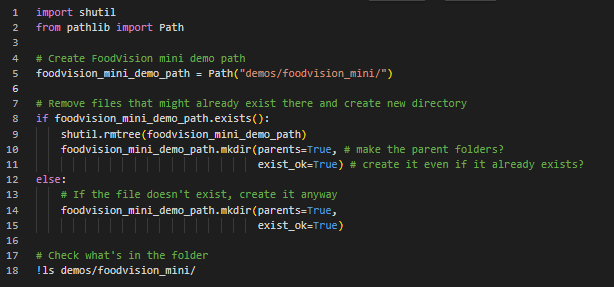
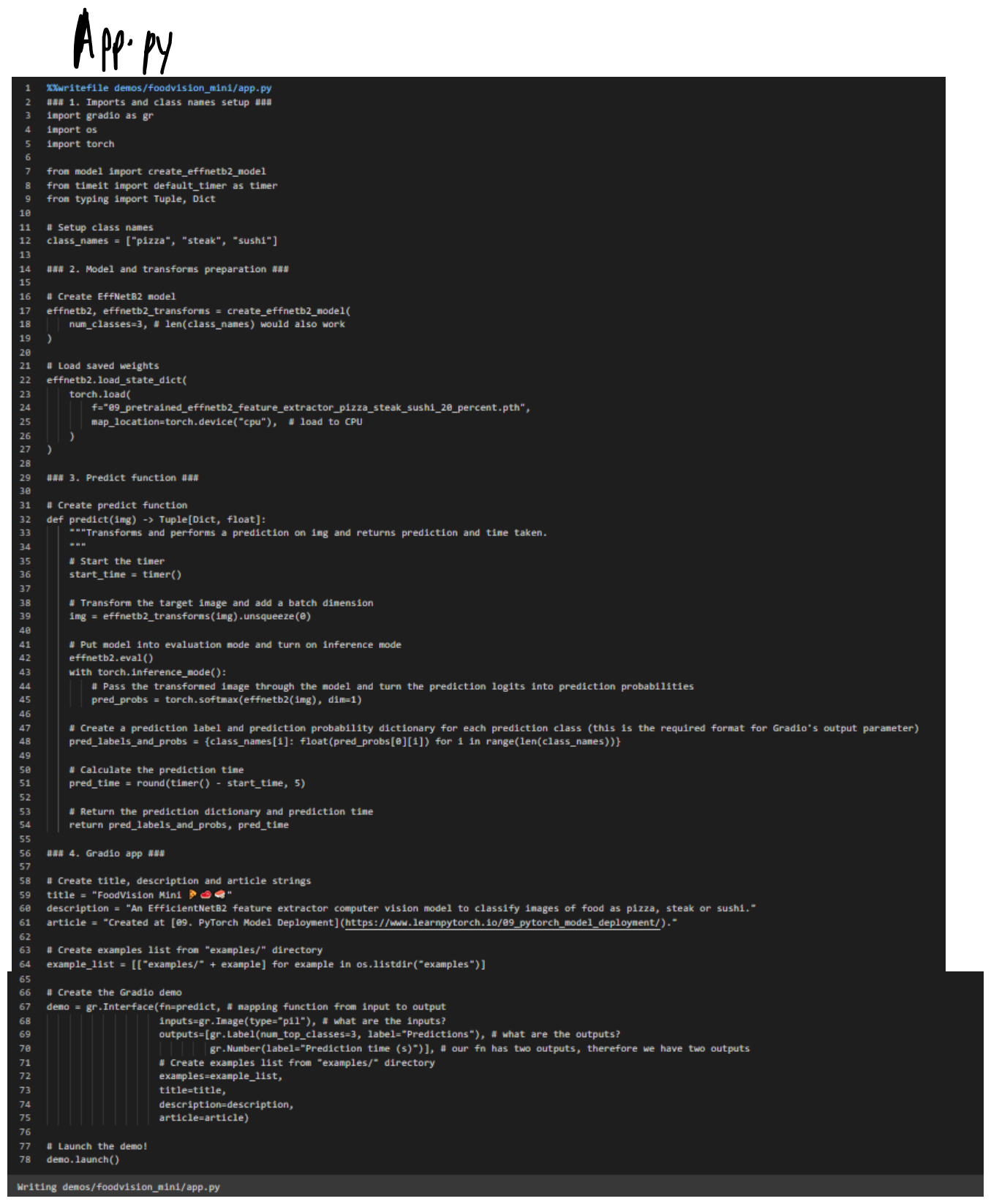
https://www.learnpytorch.io/09_pytorch_model_deployment/









If you set the parameter share=True in the launch() method, Gradio also provides you with a shareable link such as https://123XYZ.gradio.app (this link is an example only and likely expired) which is valid for 72-hours.
From <https://www.learnpytorch.io/09_pytorch_model_deployment/#35-saving-effnetb2-feature-extractor>