
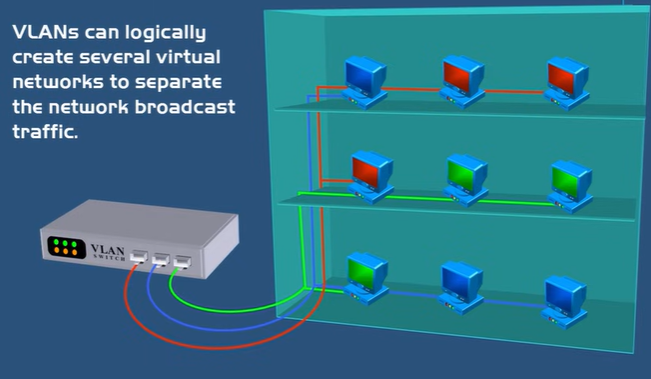
In a VLAN computers, servers and other network devices are logically connected regardless of their physical location
- Improves security
- Traffic management
- Make a network simpler

Subnets separate networks physically
VLANs separate networks virtually
Subnets are created by using routers

VLANs are created on a VLAN enabled switch
Ports on VLAN switch can be configured to separate network traffic
Devices can be connected in ways:
Connects switches or routers
All frames on trunk link have tagging
Carries traffic of various VLANS
- Access Link

Connects end device to switch port
All frames on access link must be tagged
Carries traffic for single VLAN


Setting up VLAN
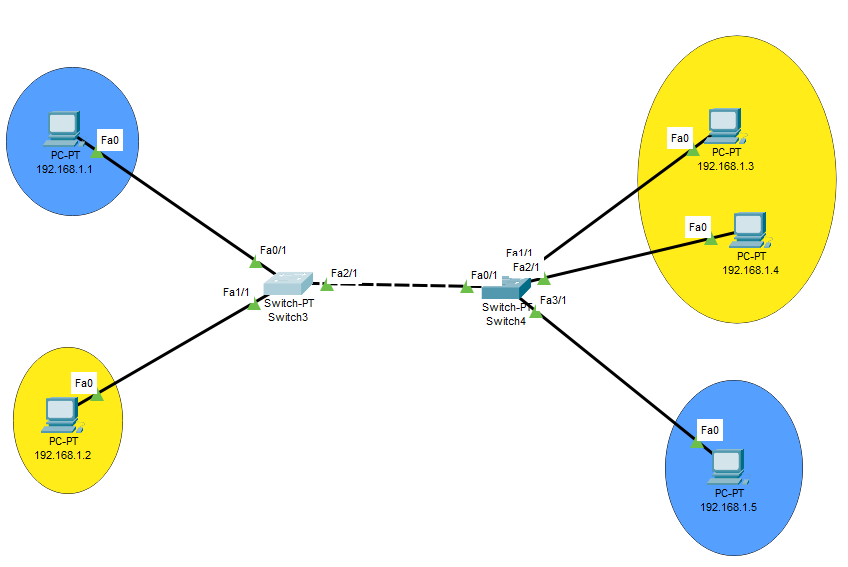
Populating VLAN database

Setting up 3 VLANs
Assigning VLANs to Switch3 Ports


Assigning TRUNK to Switch3
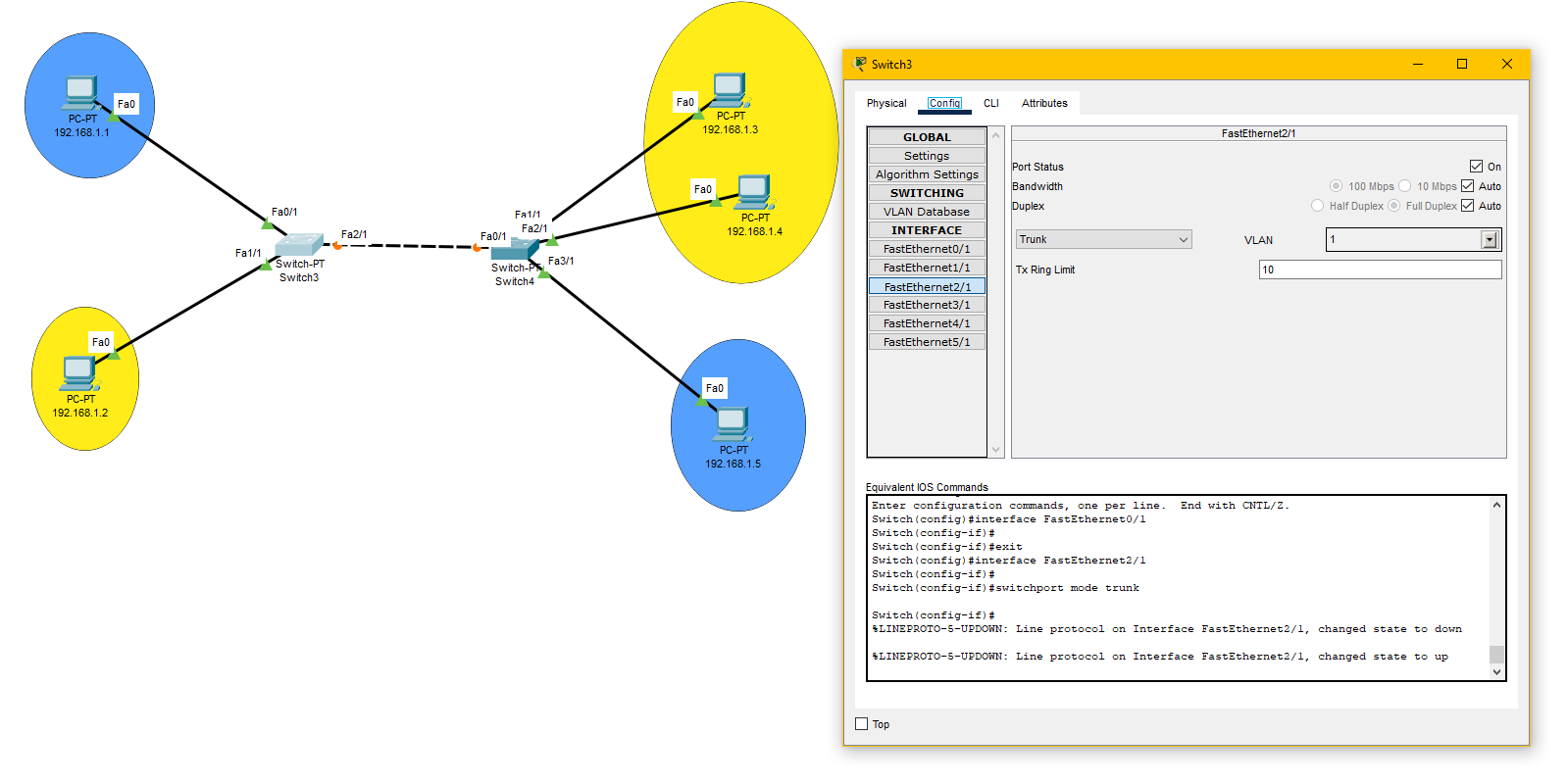
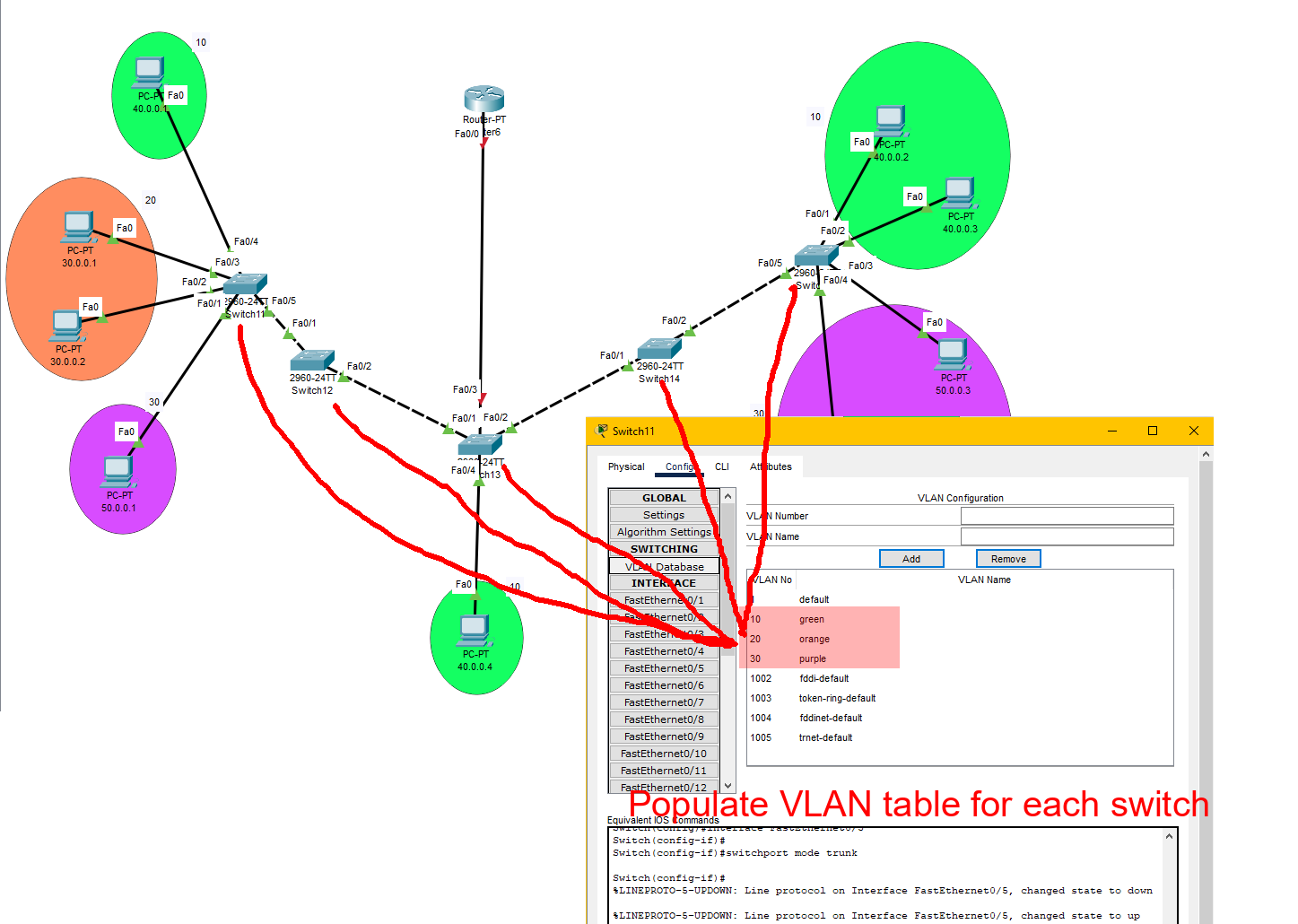
Populated VLAN, assigned VLAN ports, TRUNK to switch4 too…

Different networks don’t communicate with each other
Blue ke packets yellow mein nae jaaskty and vice versa

Router on a Stick
Network configuration using a single router interface to router traffic between multiple VLANs

Populate VLAN entries
Add
Trunk
Access links
VLAN ports
IP addresses
Gateway


No need to add IP address at interface fa0/0
Just Add These Commands:

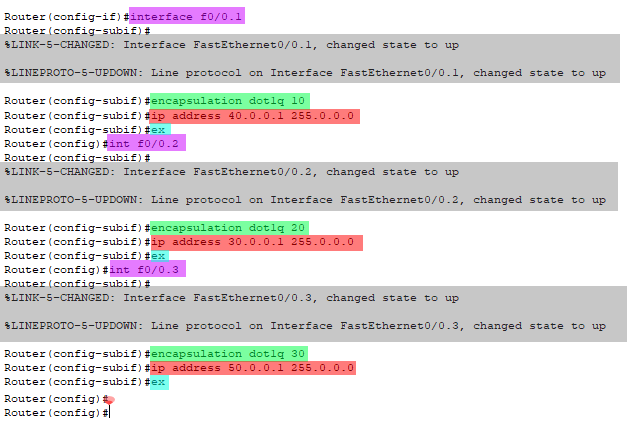


Now can pass packet intra domain (from yellow to blue and vice versa)